
How to
Unfollow Multiple Accounts
on Bluesky
Select and unfollow multiple Bluesky accounts in one guided action with Bluesky Tracker.
Quick answer
Long-press an account in a supported user list, select the accounts you want, then open the menu and choose “Unfollow Selected.”
Steps
1
Select the accounts
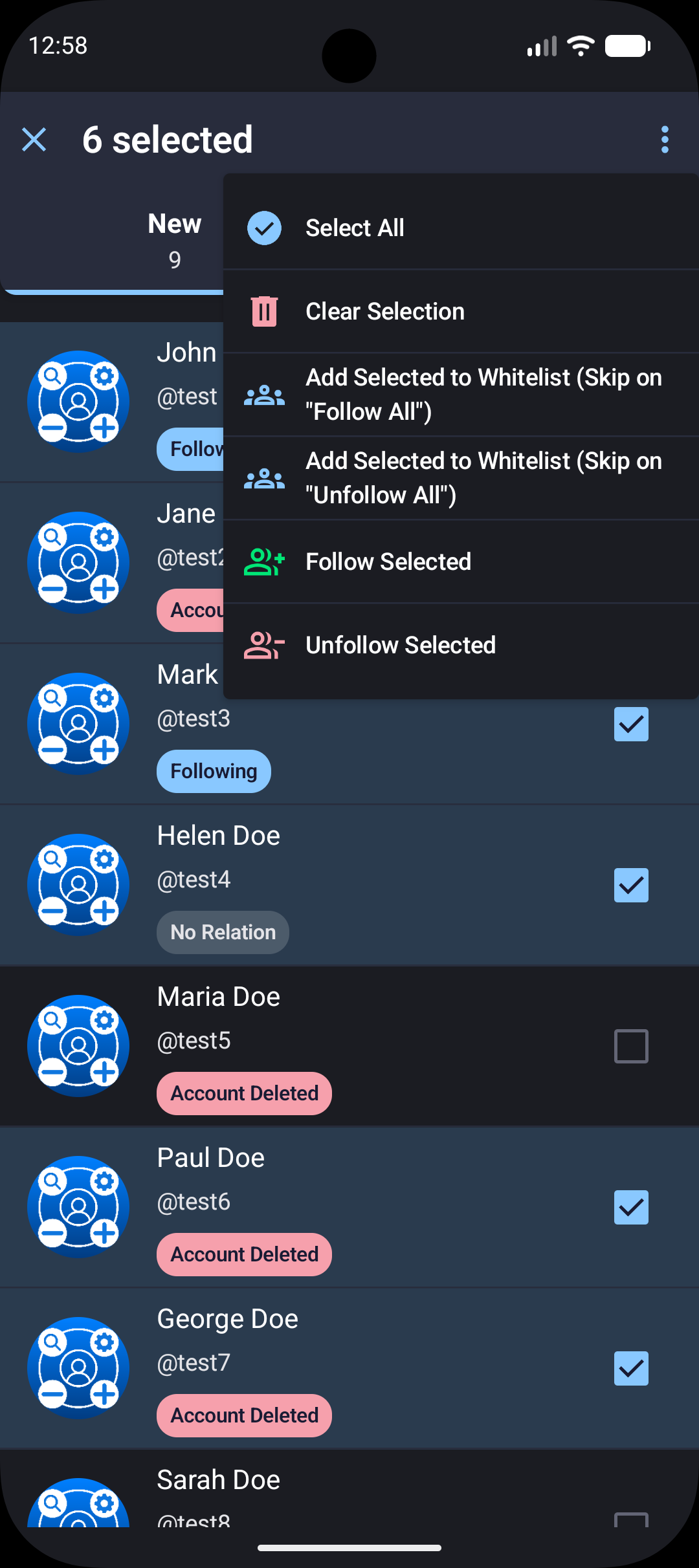
Open a user list and long-press one account to enter selection mode. Select more accounts or use Select All.
2
Run the bulk action
Choose “Unfollow Selected,” review the confirmation, and let the action finish before leaving the screen.

Review before confirming
Bulk actions change several relationships at once. Check the selected accounts carefully and use the whitelist options for anyone you want to protect from future bulk actions.
Ready to Master Your Bluesky Network?
Join 20,000+ users who trust Tracker - Manager for Bluesky to track and manage their Bluesky presence. Download now and see results immediately.


✓ 100% Free forever • No credit card required
Privacy-first
Real-time tracking
Growth & Activity Reports
Advanced Filters for your network