How to See
Who Unfollowed You
on Bluesky
See recent and past Bluesky unfollowers with Bluesky Tracker, and understand what the results mean.
Quick answer
Open the Network tab in the app and tap “They unfollowed” Use New for recent changes or All for the available history.
Steps
1
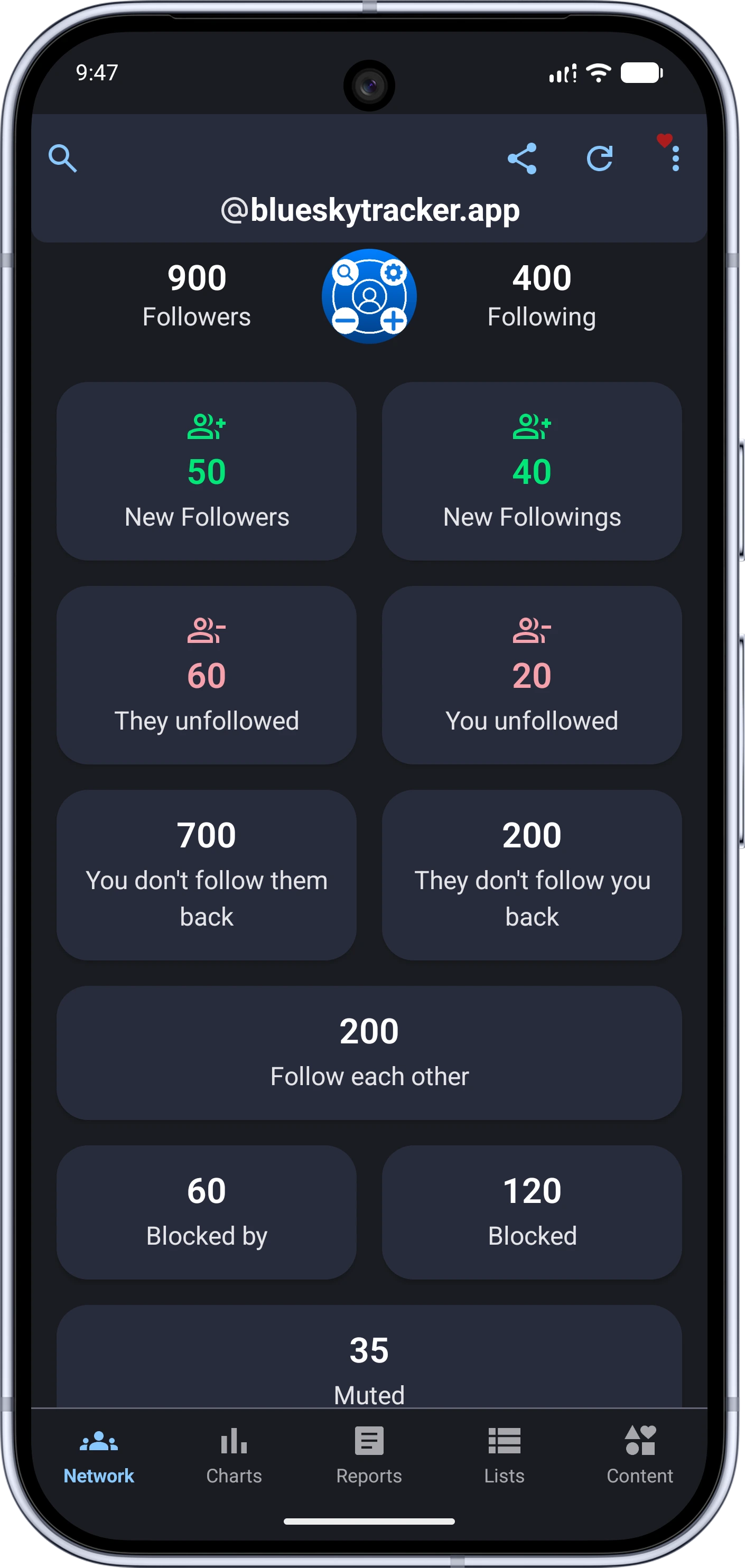
Open your Network overview
Refresh your account data, then find the “They unfollowed” card on the Network tab.
2
Review your unfollowers
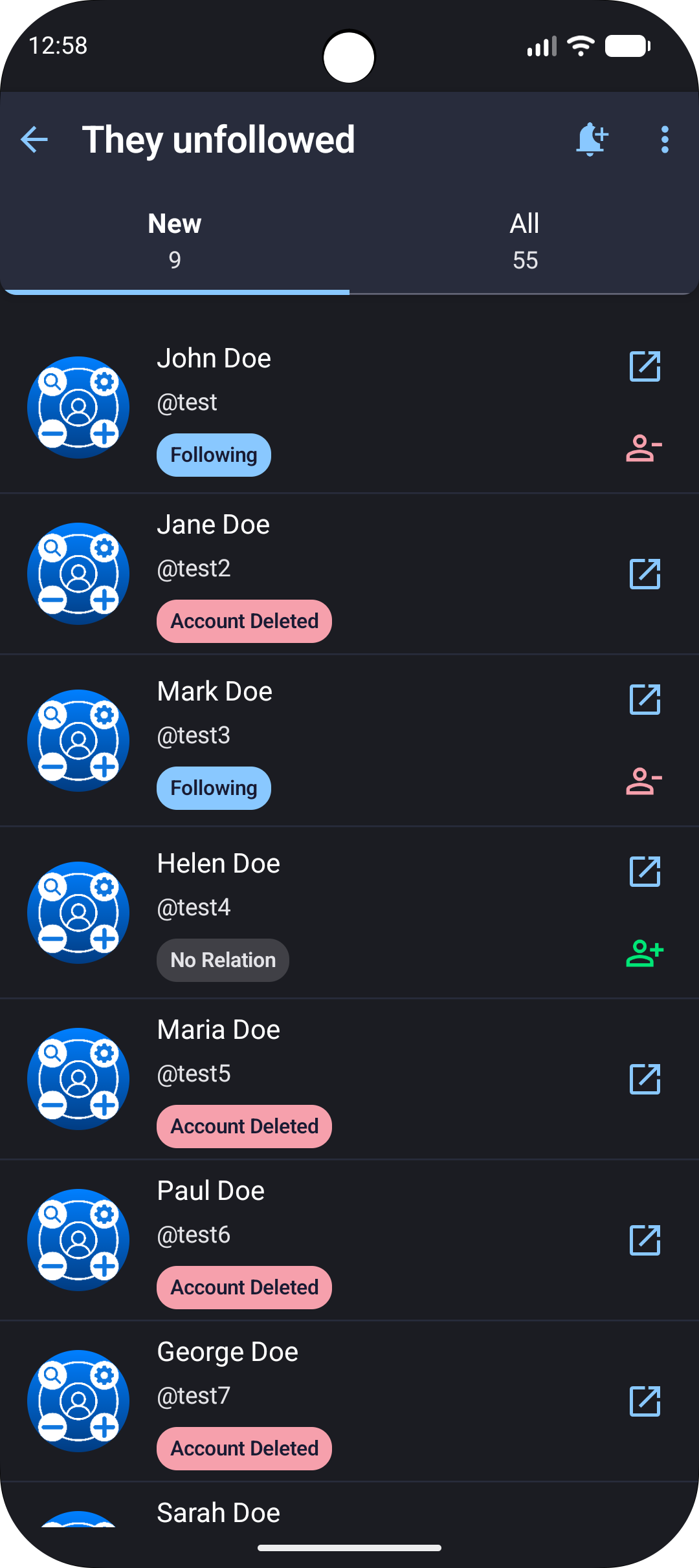
Tap the card to open the list. New shows the latest changes, while All shows the history available to the app.
Keep the result in context
Deleted or unavailable accounts can also appear in this list, so an entry does not always mean that someone deliberately unfollowed you. Results depend on the account history available to the app.
Ready to Master Your Bluesky Network?
Join 20,000+ users who trust Tracker - Manager for Bluesky to track and manage their Bluesky presence. Download now and see results immediately.

✓ 100% Free forever • No credit card required
Privacy-first
Real-time tracking
Growth & Activity Reports
Advanced Filters for your network