
How to Fix
Following
Count on Bluesky
Understanding the Bluesky following count bug and how our app helps clean your follows.
The Bluesky Bug
Bluesky has a known bug where deleted, suspended, deactivated and blocked accounts are still counted in the total number of followings shown in their official apps. This creates inaccurate following counts that don't reflect reality.
Our Solution
Bluesky Tracker provides accurate following counts by filtering out these problematic accounts. Our "Fix Followings" feature automatically identifies and helps you remove deleted, suspended, deactivated and blocked accounts from your following list and clean it up.
Community Reports
This issue has been widely reported by the Bluesky community. You can find discussions about it on Reddit and multiple GitHub issues in the official Bluesky repository, including issue #7189 which documents the inconsistency between ATP follow records and the displayed following count.
Open the app and navigate to the Fix Followings section in the home screen.
The Fix Followings feature is located in menu at the top right corner of the home screen. Tap on the 'Fix Followings to access the feature that helps you correct inaccurate following counts.
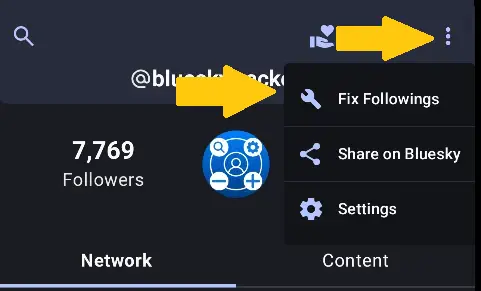
On the Fix Followings screen, tap the 'Fix Now' button to begin the process.
Once you're on the Fix Followings screen, you'll see a 'Fix Now' button. Tap on it to begin the process of identifying, removing deleted, suspended, or blocked accounts from your following list and clean your follows.
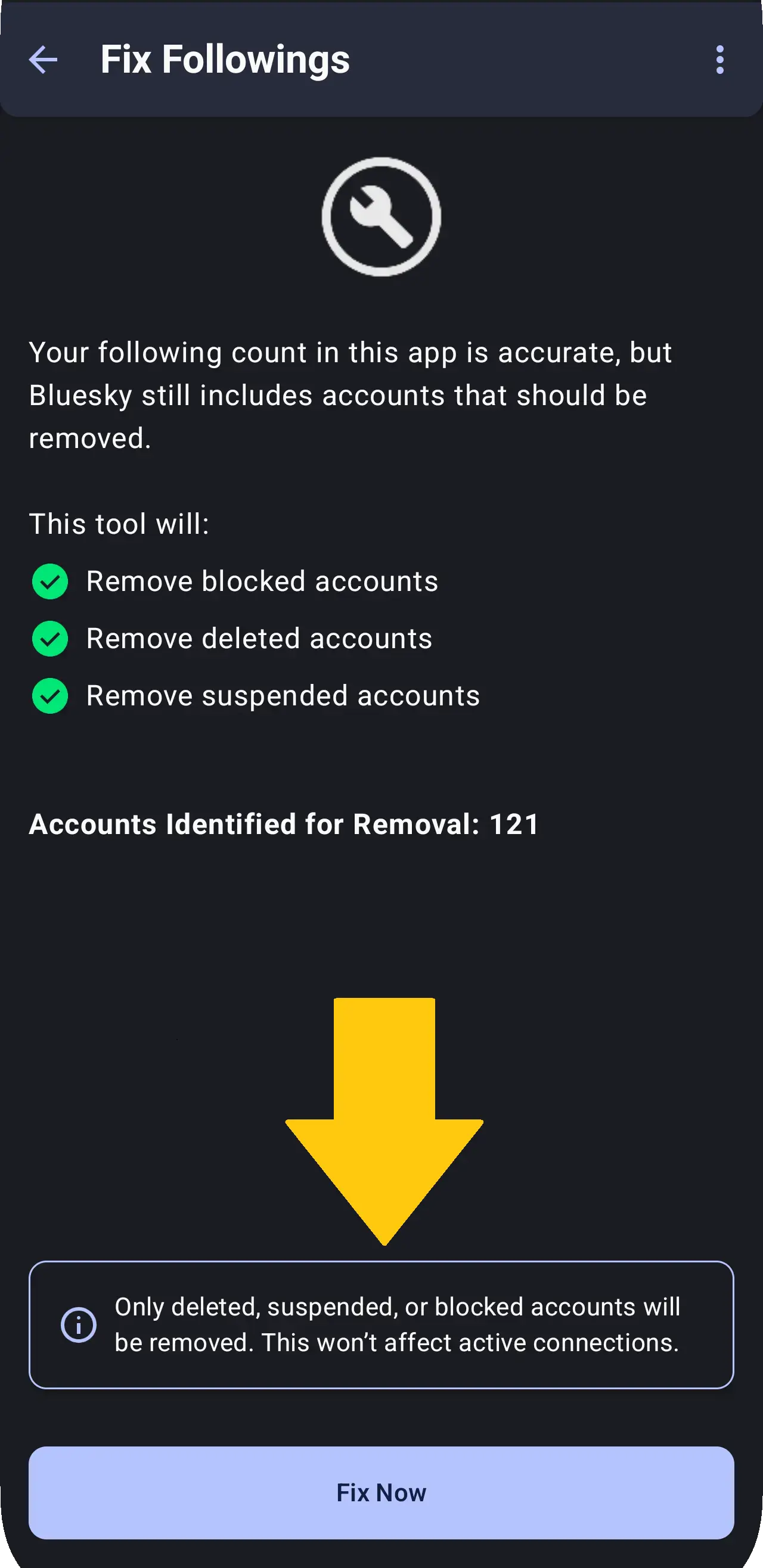
Understanding the fixing process and what happens next.
Automatic Detection
The app automatically scans your following list to identify accounts that are deleted, suspended, deactivated or blocked by you.
Safe Removal
You can safely unfollow these accounts since they're no longer active or accessible, which will correct your following count.
Accurate Numbers
After fixing, your following count in the Bluesky app will match the actual number of active accounts you follow.
Regular Maintenance
Run this feature periodically to keep your following count accurate as accounts get deleted or suspended over time.